Quick answer
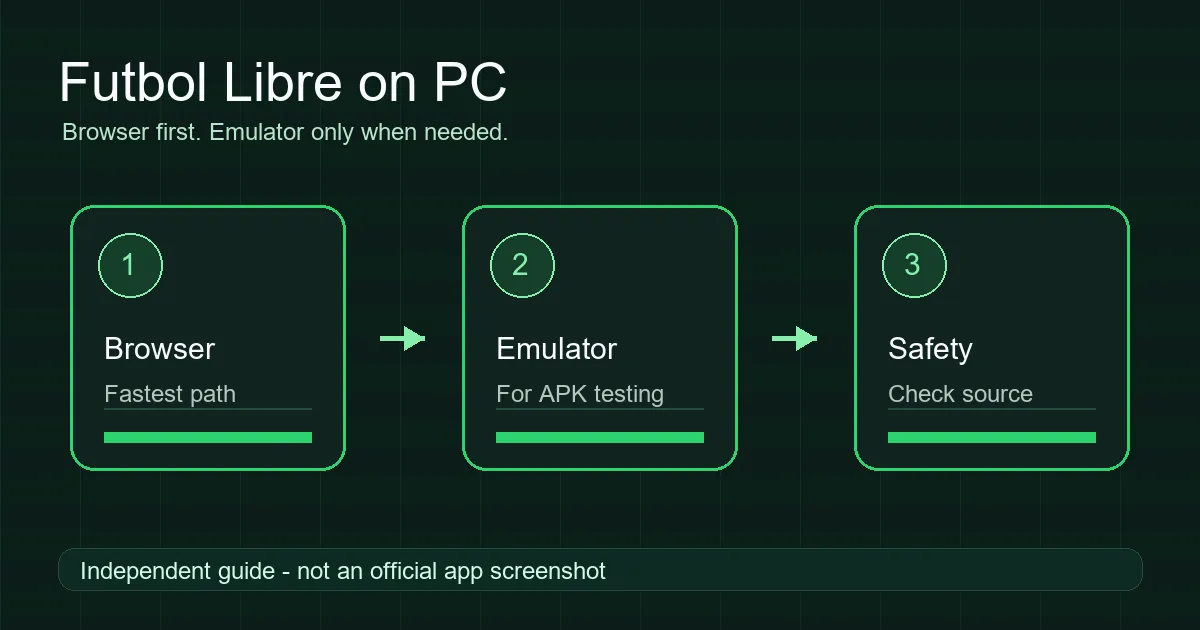
On a PC, the browser route is usually the lowest-friction option because it does not install Android packages. If you test an APK, keep it inside a separate emulator instance, verify the file source, limit permissions, and delete the installer after testing. Do not trust random Windows executables claiming to be an official Futbol Libre desktop app.
Start with the right path: browser or emulator
Futbol Libre for PC is not one single setup. Some users want a web page in Chrome or Edge, some want to run an Android APK on Windows, and some are looking for a desktop installer. Those options have different safety and compatibility tradeoffs.
A web page can be closed without changing the system. An Android emulator creates a separate Android environment, but it can still run apps, notifications, and downloads inside that environment. A random EXE or MSI installer has the highest risk because it runs directly on Windows.
| Option | Best use | Main risk |
|---|---|---|
| PC browser | Checking a site or web option | Pop-ups, redirects, and misleading download buttons. |
| Android emulator | Testing an Android APK on Windows or Mac | Modified APKs, unnecessary permissions, and incompatibility. |
| Windows installer | Only with a verifiable official source | Unknown executable with system-level access. |
Method 1: use the PC browser first
For most users, the browser is the practical first step. Open the web source you want to review in Chrome, Edge, Firefox, or Safari. Do not install extra video players, browser extensions, codecs, or desktop packages just because a page asks for them.
Block pop-ups, avoid shortened links, and do not enter personal data if your original goal was only to check match information. A private window or separate browser profile can also help when you compare domains that change frequently.
This does not make every stream legal or stable. It simply reduces installation risk. Broadcast legality depends on your country, event, and rights holder. For reliable access, check authorized sports services or official league and channel apps.
- Open your PC browser and type the source URL manually.
- Reject unexpected extensions, players, codecs, or download prompts.
- Close pop-ups and ignore buttons promising a Windows download.
- For schedules and scores, prefer official league or results sources.
Method 2: test an APK with an Android emulator
If you really need Futbol Libre APK on PC, you need an Android emulator. BlueStacks, LDPlayer, and similar tools can run Android apps, but they do not turn the APK into a native Windows app. The app may still fail because of emulator detection, Android version requirements, architecture, or controls.
Before importing the file, check the package name, file size, date, version, and source reputation. Avoid variants promising premium, ad-free, or unlimited access when the origin is unclear. If a previous variant is installed, a different signature can trigger the common app not installed error.
BlueStacks documents APK/XAPK installation through its own interface. That confirms the technical route, not the safety of any specific file. Keep emulator testing separate from your main accounts and delete the APK when you are finished.
- Install the emulator from its official website and update it.
- Create a clean emulator instance for external APK testing.
- Use the emulator's APK/XAPK install control and select the reviewed file.
- Check permissions, controls, performance, and playback behavior.
- If the app fails or asks for excessive permissions, uninstall it and delete the file.
Useful sources
- BlueStacks official APK installation guide - documents the emulator installation method.
- Google Play Protect - explains Android app scanning and harmful app warnings.
Common Windows and Mac errors
The most common mistake is double-clicking an APK in Windows. An APK is not a desktop program; it needs Android or an emulator. Another common issue is choosing an APK that does not match the emulator's Android version or CPU architecture.
If the app installs but playback fails, the cause may be region blocking, changed domains, emulator detection, dead sources, or missing network permissions. Do not solve that by installing random clones. First check whether the browser route works.
| Problem | Likely cause | Safer fix |
|---|---|---|
| APK does not open in Windows | Windows cannot run APK files directly | Use a browser or Android emulator. |
| App not installed | Signature, version, or architecture mismatch | Try a compatible instance or remove old variants. |
| Black screen or no audio | Player, region, or graphics issue | Try another browser/emulator; avoid unknown codecs. |
| Too many ads | Untrusted source or redirects | Close the page and do not download extras. |
Safety signals before downloading anything
A responsible guide should not promise a magic download. Be cautious when file names change on every mirror, a PC installer does not identify the publisher, or the package asks for SMS, contacts, accessibility, or device administrator permissions.
On Windows, pay attention to SmartScreen, antivirus warnings, and domain reputation. If a football viewing app asks to run as administrator, that is a serious red flag. For Android APKs, network access and notifications may be expected; device admin and accessibility permissions are not normal for this use case.
Fast decision: browser, emulator or do not install
Pages ranking for Futbol Libre for PC often push straight toward an emulator. That only makes sense when you need to test a specific APK. For checking a match, reading schedules or comparing sources, the browser reduces permissions and avoids installing packages on Windows or macOS.
Use this rule: web first, emulator only for a reviewed APK, and desktop executables only when the publisher is verifiable. If a page offers Futbol Libre for Windows as an EXE without technical details, do not treat it as official.
| Scenario | Recommended option | Why |
|---|---|---|
| You only need a web page | Browser with pop-ups blocked | No packages or Android permissions |
| You need to test an APK | Clean Android emulator | Isolates the test and can be removed |
| You are offered EXE/MSI | Do not install unless verified | Direct system-level risk |
| You want a big screen | Android TV or casting | Avoid forcing a mobile app on PC |
PC, Android TV, or phone: which setup fits best
A PC is useful for comparing sources, reading comments, and testing a web option without touching your phone. Android TV or a TV Box makes sense when you want a large-screen setup and the device supports sideloading. A phone is the most direct Android path, but it also contains personal accounts, photos, and notifications.
If your goal is a television setup, use the Android TV guide because Downloader, USB, permissions, and remote controls are different from the PC workflow. If your goal is only to check matches on a computer, avoid APK installation unless you have a specific reason to test it.
FAQ
Is there a Futbol Libre app for PC?
There may be web options or Android APKs that can be tested in an emulator, but do not assume a random Windows installer is official.
Can Windows install Futbol Libre APK directly?
No. Windows does not run APK files natively. Use a browser or an Android emulator.
Is browser or emulator better?
For PC, the browser is usually simpler and safer. Use an emulator only when you need to test a specific APK.
Which permissions are suspicious?
SMS, contacts, accessibility, device administrator, and unrelated sensitive permissions are warning signs.
Does an emulator make an APK safe?
No. It limits some PC impact, but a modified APK can still fail, show aggressive ads, or request unnecessary permissions.
Can I use Futbol Libre for PC without an emulator?
If a web option is available, yes. An emulator is only needed to test an Android APK; do not use it first when you only need information or a website.