Quick answer
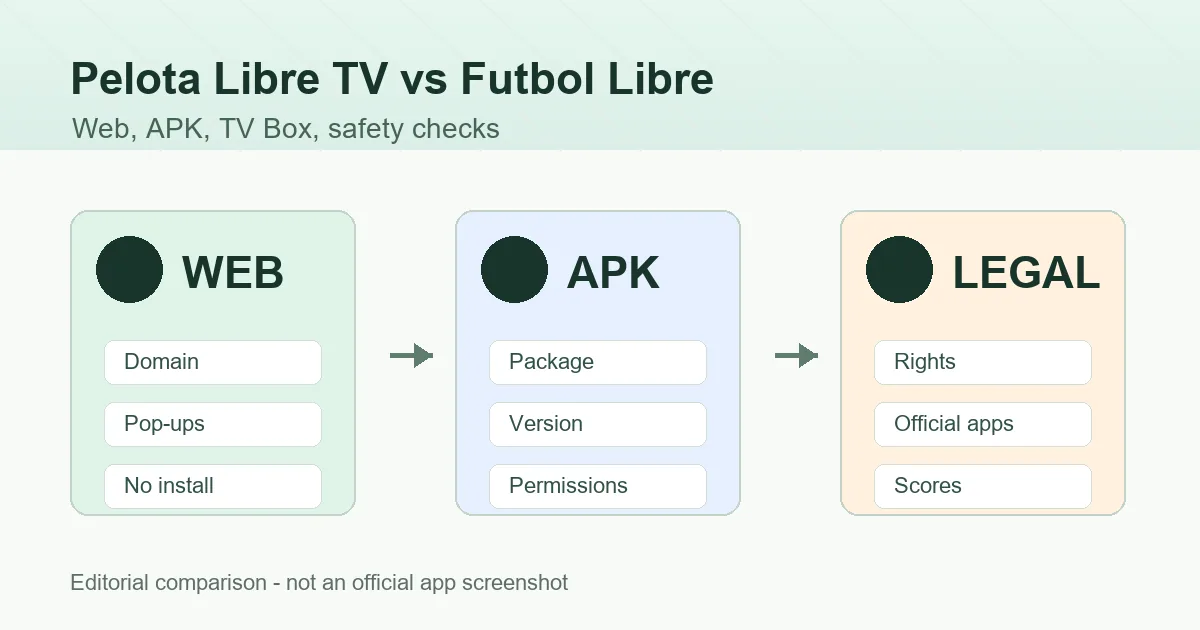
Pelota Libre TV usually points to a web or alternate-domain intent, while Futbol Libre APK is more about Android installation and app variants. Check the source, permissions, ads, domain, legal availability, and authorized options before opening links or installing files.
What people usually mean by these searches
Pelota Libre TV is commonly searched like a site or alternate domain for live football. Futbol Libre can mean a website, a results app, an APK package, or pages that move between domains. Treating them as one official app creates the wrong expectation.
Start with the job you actually need: Android installation help, big-screen setup, match information, or an authorized way to watch an event. That distinction helps you avoid installing a package when a browser or score source would have been enough.
| Search | Common intent | Main risk |
|---|---|---|
| Pelota Libre TV | Open a live-football site or alternate domain | Clones, redirects, aggressive ads, or temporary domains. |
| Futbol Libre en vivo | Find a match, channel, or live schedule | Mistaking information pages for authorized streams. |
| Futbol Libre APK | Install an Android app or XAPK | Modified files, excessive permissions, or incompatible packages. |
| Futbol Libre alternatives | Find options when a site is down | Jumping to another source without checking safety or rights. |
Practical differences: website, APK, and big screen
A website can be tested in a browser and does not need Android permissions. It can still show pop-ups, changing domains, and risky ads, but it does not remain installed on the device. An APK or XAPK changes the device state, asks for permissions, and must be removed if you no longer trust it.
On Android TV or TV Box, the interface matters too: a mobile app may not work with a remote, while a browser page may be easier to close if something looks wrong. On PC, a browser is usually safer than a supposed Windows installer.
| Format | Best use | Minimum check |
|---|---|---|
| Website | Check schedules or test access without installing | Block pop-ups and avoid add-on downloads. |
| APK/XAPK | Test a specific Android app | Check package, source, version, signature, and permissions. |
| TV Box / Android TV | Big screen with controlled sideloading | Allow unknown sources only for the installer app. |
| PC | Compare sources and read information | Avoid unverified EXE or MSI files. |
Warning signs before using either name
Be careful with duplicate download buttons, lookalike domains, short links, players that demand codecs, and pages asking you to disable browser protection. For APKs, SMS, contacts, accessibility, or device-admin permissions are serious red flags.
Missing technical details are another warning sign. If a source does not show version, file size, date, package name, or recognizable publisher context, you cannot compare it responsibly. Claims like unlimited premium access or all channels without source details should make you stop.
- Decide whether you need a website, Android app, or only match information.
- Inspect the domain or store page before pressing download.
- Do not install extensions, codecs, or desktop executables to watch a match.
- On Android, allow unknown sources only for the installer you use, then turn it off.
- Leave the page if it forces redirects, odd permissions, or unclear downloads.
Legal context and live-football alternatives
Neither Pelota Libre TV nor Futbol Libre automatically proves that a stream is licensed in your country. Rights depend on the event, territory, broadcaster, and platform. A site that links third-party streams may disappear, change domain, or point to unauthorized sources.
For stable access, check official broadcasters, league apps, sports channels, authorized streaming services, or TV packages that hold your competition's rights. If you only need to follow the match, official radio, live text, or score apps may be enough and much safer.
Useful references
- Google Play Protect - explains Android checks for potentially harmful apps.
- BlueStacks APK installation guide - documents the technical method for APK testing in an emulator.
Which route fits your device
On Android phones, install only when you need an app and can verify the source. On Android TV, TV Box, or Fire TV, check remote-control support and screen layout first. On iPhone or iPad, you cannot install an APK; any page promising an iOS APK is mixing incompatible concepts.
On PC and Mac, avoid desktop installers using the Futbol Libre name unless the publisher is verifiable. The safer research route is a browser with pop-up blocking and no extra extensions.
How to avoid mixing APK and PC searches
This comparison should answer the Pelota Libre TV vs Futbol Libre question, not replace installation guides. If you want an APK for Android TV, the dedicated page covers Downloader, USB, permissions and errors. If you want PC, the computer guide covers browser and emulator choices.
Keeping those boundaries helps users choose and avoids blending different search intents. Pelota Libre TV is usually a domain or live-web search; Futbol Libre APK is an installation search; Futbol Libre for PC is a desktop method and safety search.
| Query | Best page to read | Why |
|---|---|---|
| pelota libre tv | This comparison | Explains domains, web use, risks and alternatives |
| futbol libre apk para android tv | Android TV guide | Covers Downloader, USB, remote control and permissions |
| futbol libre para pc | PC guide | Compares browser, emulator and EXE risks |
| futbol libre apk descargar | Main guide | Reviews sources, versions and real screenshots |
How to decide without falling for clones
Use a simple rule: if you only need kick-off time, score, or official channel information, do not install anything. If you want to test an Android app, look for a listing with package name, version, file size, and review context. If you want big-screen use, read the Android TV guide before pasting URLs into Downloader.
Keep the topics separate: the homepage covers Futbol Libre APK and real download-source checks, the PC guide explains browser and emulator options, and this comparison helps you avoid confusing Pelota Libre TV domains with a specific APK.
FAQ
Are Pelota Libre TV and Futbol Libre the same?
Not necessarily. They may appear in related searches, but they can point to different domains, websites, apps, or APK variants.
Is there a Pelota Libre TV APK?
Files with similar names may exist, but that does not make them official. Check package name, version, size, permissions, and source before installing.
Is website access safer than APK installation?
For a quick check, a website usually exposes fewer device permissions. An APK needs deeper checks because it remains installed and can request Android permissions.
Can I use Futbol Libre on iPhone?
An iPhone cannot install APK files. Pages promising an iOS APK are likely using the wrong label or pushing unverified profiles or links.
What is the most stable alternative?
An authorized platform, official league or channel app, official radio, or a score app is usually more stable and legally safer.
Which page should I read if I search for Pelota Libre HD?
If you want differences between names, domains and risks, this comparison is the right page. If you want to install an APK or use a PC, use the specific guide instead.