Quick answer
There is no single permanent Futbol Libre channel list that proves access to every match. Start with the exact competition and fixture, then compare the organizer's schedule with an authorized broadcaster or operator guide. Treat an APK, mirror, pop-up or undated screenshot as an unverified source, not as a channel license.
What the Futbol Libre channels search means
The phrase can describe a channel directory, a match calendar, a scores app, a browser page or a third-party service using a familiar name. Those are different products. A channel name inside an app may be a category label, while the actual signal may belong to a paid operator, a league platform or a regional broadcaster.
The useful first question is not whether a page promises every channel. It is which tournament, teams and kickoff time you need. Rights can change between domestic leagues, cups, national teams, women's football and futsal, and they can change by country. A list without a date, provider and territory is incomplete even when the channel names look familiar.
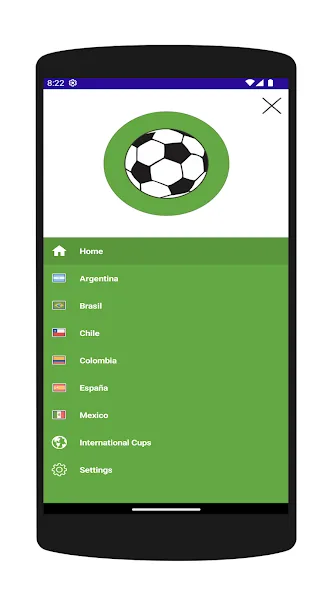
Futbol Libre channel list: what to check first
A Futbol Libre channel list is useful only when it identifies the competition, match, provider, country and date. A channel name inside an app proves that a menu exists, not that the signal is available or authorized.
For Futbol Libre channels, compare the organizer's schedule with the broadcaster's guide. If you need a specific Argentina combination, use the related Argentina guide instead of duplicating that intent here.
- Fix the competition, teams, matchday and local time.
- Confirm the match on the organizer's source.
- Check broadcaster, country, account and signal availability.
- Do not install another APK only because a channel is missing from the menu.
A channel menu is not broadcast proof
A reliable check separates four layers: the competition organizer, the provider that holds or sells the signal, the device or app used to watch it, and the page that is making the claim. The same match may appear in a fixture app and in an operator guide, but only the rights holder or authorized provider can confirm the viewing route.
This distinction also prevents a common download mistake. Installing another APK cannot create rights that are unavailable in your plan or region. It can instead add unknown permissions, redirects, trackers or a file that has no connection with the channel name shown on the page.
| What you see | What it can prove | What still needs checking |
|---|---|---|
| App country or channel menu | The product has that navigation category | Current fixture, provider and territory |
| Fixture or score card | A match may be scheduled or recorded | The authorized live or replay source |
| Operator program guide | The named plan or channel carries listed content | Subscription, login and regional availability |
| Mirror or forced APK page | Only that page makes a claim | Developer, package, permissions and rights |
How to read a lista de canales de futbol libre
A channel list is more useful when it names the competition, provider, update date and country. Look for a source that can be opened independently, not only a card copied inside an aggregator. If the list says “free” or “available,” ask whether that means free-to-air, included in a paid bundle, temporarily previewed or merely visible in a catalog.
Do not use a large number of channel names as a quality signal. A short list with a named broadcaster and a current schedule is more reproducible than a long list with no source. When two pages disagree, keep the fixture and territory fixed, then prefer the organizer and provider information over a screenshot or search snippet.
- Record the competition, teams, round and local kickoff time.
- Find the organizer's fixture or competition page and confirm that the match exists.
- Check the authorized broadcaster or operator guide for the same date and territory.
- Confirm whether access is open, included in a plan, or requires a separate subscription.
Check today's match in four steps
Begin with the event, not the download. A search for a channel can be stale within hours when a fixture is moved, a regional feed changes or a provider updates its program guide. Write down the local time and the competition name so that similarly named matches are not confused.
Then compare at least two independent signals: the organizer's schedule and the broadcaster or operator page. A fixture app can help with teams and time, but it should remain a reference layer. If a page requires an APK before revealing the channel, opens repeated pop-ups or promises every premium signal without naming a provider, stop and verify the source elsewhere.
- Check the competition organizer and the exact fixture.
- Match the local time and country with the provider schedule.
- Review the plan, account, device support and login requirement.
- Ignore forced downloads, shortened links and permissions unrelated to playback.
What the Google Play listings actually show
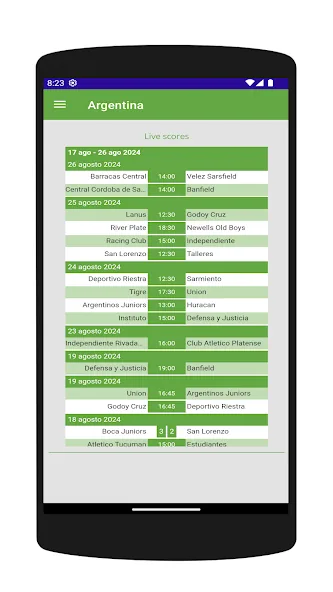
The two similarly named Google Play packages reviewed for this site are not a universal channel directory. The com.nbk.futbollibre listing showed an August 1, 2026 update when checked on August 6, 2026. The ar.com.futbollibre listing showed a June 19, 2026 update and states that it does not stream matches. Neither accessible listing exposes a stable public numeric version and file size that would justify an invented direct APK link.
This is why a store listing should be used for package identity, developer and update evidence, not as proof that a particular channel is licensed in every market. Compare the package ID and developer before updating. A different package is a different app, even when the icon and name look similar.
APK, Smart TV, PC and iPhone boundaries
APK files are Android packages. They can be relevant on compatible Android phones, Android TV and some TV Box devices, but they do not install on iPhone. A Smart TV that does not run Android needs its own store, a browser, casting or an external compatible device. On PC, a verified web or desktop route is usually safer than installing an Android emulator only to open an unknown file.
When an installation is genuinely needed, check the package name, developer, requested permissions, update date and source before opening the file. Do not use a new APK to bypass regional rights, subscription controls or a missing signal. If the official page is only a store or provider page, keep that page as the CTA instead of presenting a mirror as an official download.
What to do when a channel is missing
A missing channel does not automatically mean the app is broken. It may be outside the current competition rights, unavailable in the selected territory, included only in a paid plan, listed under another provider or not offered for that device. Recheck the competition and the provider before changing permissions or installing another file.
For troubleshooting, use the existing Futbol Libre not-working guide when the page will not load, the player keeps spinning or the app closes. Use the latest-version guide when the real issue is package freshness. Keeping those intents separate makes the channel guide more accurate and avoids turning a general list question into a risky download instruction.
Sources checked and download fallback
This page uses official or first-party references for the package listings and football-source examples. Google Play was checked on August 6, 2026 for com.nbk.futbollibre and ar.com.futbollibre. LPF Play and Pack Fútbol are included as examples of why a competition or operator source is more useful than an undated mirror. The available pages did not provide a verified numeric APK version and stable file URL for this guide.
The download policy is therefore simple: use the official store or provider page when it is available; otherwise describe where to verify the source. This guide does not promise that every channel is free, every match is available, or every similarly named APK is official.
Official and first-party references
- Google Play: com.nbk.futbollibre - Package listing and update evidence
- Google Play: ar.com.futbollibre - Separate package listing
- LPF Play - League source for selected content
- Pack Fútbol - Operator package information
FAQ
What channels appear in Futbol Libre?
The answer depends on the app, competition, provider and territory. A menu or fixture list does not prove that the channel is authorized or available for your plan.
Is the Futbol Libre channel list permanent?
No. Rights, schedules, subscriptions and regional availability can change. Prefer a dated organizer or provider source over an undated list.
Does Futbol Libre TV show every live match?
Do not assume it does. The ar.com.futbollibre listing says it does not stream matches, and other package names may refer to different products.
Can another APK unlock a missing channel?
Installing another APK does not create broadcast rights and may add source, permission or malware risk. Verify the official provider, account and territory first.
Does the Futbol Libre channel list change by country?
Yes. Rights, broadcasters, schedules and packages vary by territory. Check the country and date with the organizer and provider; a global list without context does not prove that you can watch the match.