Resposta rapida
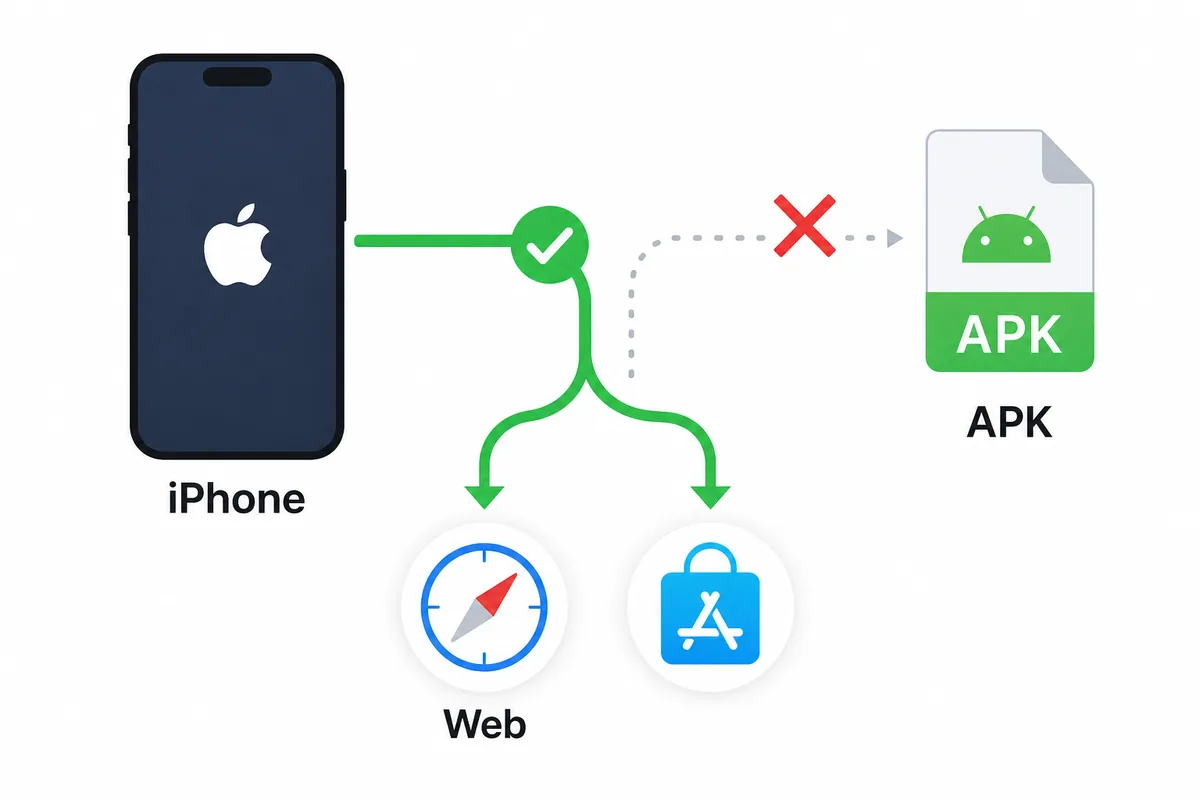
Nao tente instalar Futbol Libre APK no iPhone. iOS nao executa APK Android. Comece pela App Store, use Safari para acesso web, recuse perfis ou certificados desconhecidos e prefira servicos licenciados quando precisar de estabilidade legal.
Por que APK e iPhone nao combinam
APK stands for Android Package Kit. It is the package format Android uses for apps. iPhone runs iOS and normally distributes apps through the App Store, TestFlight, or controlled enterprise paths, so a downloaded .apk file is not a normal iPhone app.
Pages that promise Futbol Libre APK for iPhone usually mix two different user intents: Android users looking for an APK and iPhone users looking for football access. Treat that mismatch as a reason to slow down before tapping download.
| Format | System | Meaning |
|---|---|---|
| APK | Android | Does not install on iPhone or iPad. |
| IPA | iOS | Requires a valid iOS distribution path. |
| Web | Safari/Chrome iOS | Can open without installing an app, but still requires domain checks. |
| iOS profile | System settings | Do not install unless the issuer is clearly trusted. |
Caminho mais prudente no iOS: App Store primeiro, navegador depois
If you want an installed iPhone app, first search the exact name in the App Store and check the developer, reviews, update date, permissions, and privacy policy. A similar name does not prove it is the same Android app.
If there is no verifiable app, Safari is the lower-friction option for checking a website, schedule, or score page. Do not accept notifications, VPN profiles, certificates, or enterprise apps just to open a match.
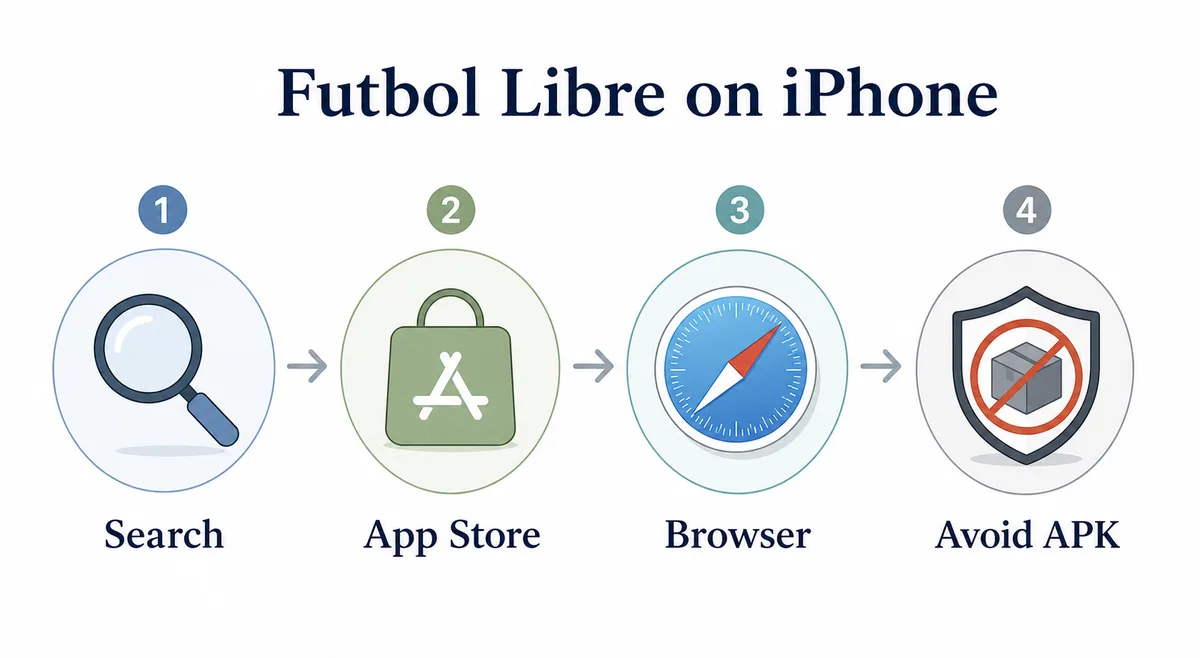
- Search App Store and inspect developer, privacy, and update date.
- If no app is verifiable, open only a website in Safari or Chrome iOS.
- Block pop-ups and reject unnecessary notifications.
- Do not install unknown profiles, certificates, or enterprise apps.
- For stable video, confirm services with local rights.
Sinais de alerta em paginas que prometem Futbol Libre APK para iPhone
The clearest warnings are buttons claiming to install APK on iOS, mandatory configuration profiles, downloads that change file type, required external players, redirect chains, and fake virus messages.
Also be careful with pages using Apple or App Store logos without linking to a real listing. If there is no visible developer, version, privacy policy, or support channel, do not treat the download as reliable.
| Signal | Risk | Prudent response |
|---|---|---|
| Install APK on iPhone | Technically false promise | Close the page. |
| Configuration profile | May change trusted settings | Do not install from unknown issuers. |
| Enterprise certificate | Allows apps outside App Store | Avoid outside a real company context. |
| Required codec/player | May be an installer trap | Do not download. |
| Repeated shorteners | Hide the destination | Stop navigation. |
App, web ou alternativa: como decidir no iPhone
The right route depends on your need. Scores, schedules, and lineups are often better served by official league pages or score apps. Live video availability depends on country, competition, and rights.
On iPhone, reduce risky installation paths. A Safari page is reversible; a settings profile can be more invasive. An App Store app is not automatically perfect, but it gives you a visible listing and developer trail.
| Need | Recommended option | Why |
|---|---|---|
| Scores and schedule | Score or league apps | No APK or profile needed. |
| Open a website | Safari with pop-ups blocked | Avoids package installs. |
| Installed app | App Store or verifiable iOS source | Lets you review developer and privacy. |
| Live video | Licensed local service | More stable and lower legal risk. |
Como Android, PC e Android TV diferem
This iPhone guide does not replace Android instructions. Android can involve APK, XAPK, permissions, and external sources; PC can involve browser or emulator; Android TV may require Downloader, USB transfer, and remote-control compatibility.
Separate the device routes before downloading: iPhone does not install APK, Android does not use the iOS App Store, and an emulator does not make any APK safe.
Fontes oficiais para verificar
When the question is about iOS behavior, official Apple documentation is the best baseline. Apple explains how iPhone apps are downloaded and how configuration profiles affect device settings.
If a download page does not match those routes, treat it as risky. This guide does not link to unverified downloads or claim that an official Futbol Libre iOS version exists.
Useful sources
- Apple Support: download apps from the App Store - explains the normal iPhone app installation route.
- Apple Support: configuration profiles - explains profiles and why the issuer matters.
Resumo: nao transforme uma busca de iPhone em instalacao insegura
The core point is simple: Futbol Libre APK belongs to Android; iPhone needs the App Store, Safari, or another verifiable iOS route. If a page pushes APK files, profiles, certificates, or external players, it is not solving your iPhone search safely.
Use this page as a filter before tapping download: identify the device, verify whether a real iOS app exists, check the domain if you use a browser, and use the Android, PC, or Android TV guides only for those devices.
Perguntas frequentes
Posso instalar Futbol Libre APK no iPhone?
Nao. iPhone usa iOS e nao instala arquivos APK de Android.
Existe Futbol Libre para iOS?
Considere apenas se houver uma ficha verificavel na App Store ou outra rota iOS reconhecida.
Perfis iOS sao seguros para ver futebol?
Nao instale perfis ou certificados empresariais de fontes anonimas.
Posso usar Futbol Libre no Safari?
Pode abrir uma web se a fonte for acessivel, mas revise dominio, pop-ups, notificacoes e downloads.
E se uma pagina pedir um player?
Nao instale salvo se a origem for claramente verificavel.
Qual e a alternativa mais segura no iPhone?
Use apps de resultados, fontes oficiais ou servicos de video licenciados no seu pais.